

How to Spot WestJet’s New Economy Seat Layout Before You Book

You may have noticed more discussion recently around WestJet’s newer economy seat layout, which features reduced legroom and limited recline.
The good news? There’s a simple way to check whether your WestJet flight is scheduled to use this new layout before you book. No guessing, no digging through aircraft forums, just a quick check during the booking process.
Here’s how you can spot it.
Why This Matters: Understanding WestJet’s New Seat Configuration
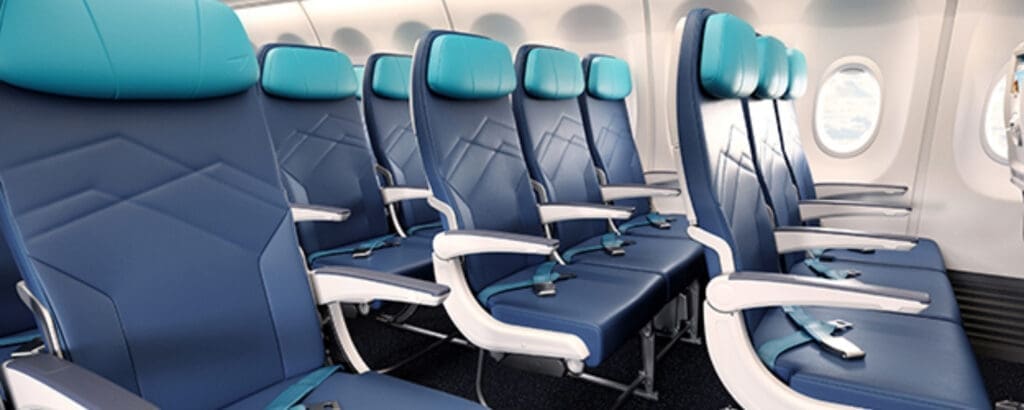
In September 2025, WestJet announced plans to reconfigure the seating on 43 of its Boeing 737 aircraft. The changes include adding an extra row and dividing the economy cabin into more seating tiers. As of now, 21 aircraft have already been updated with this higher-density layout.
The most notable change is the introduction of seats with a pitch of approximately 28 inches. At the time of writing, no other large Canadian airline offers economy seats with this level of spacing. WestJet has emphasized that this redesigned layout is intended to support lower base fares, while giving travellers the option to pay more for seats with additional space.
Because these aircraft are now flying alongside planes with the older configuration, the onboard experience can vary from flight to flight. That is why knowing how to identify the layout in advance can help set expectations before booking.
Step 1: Check the Seat Map Before You Check Out
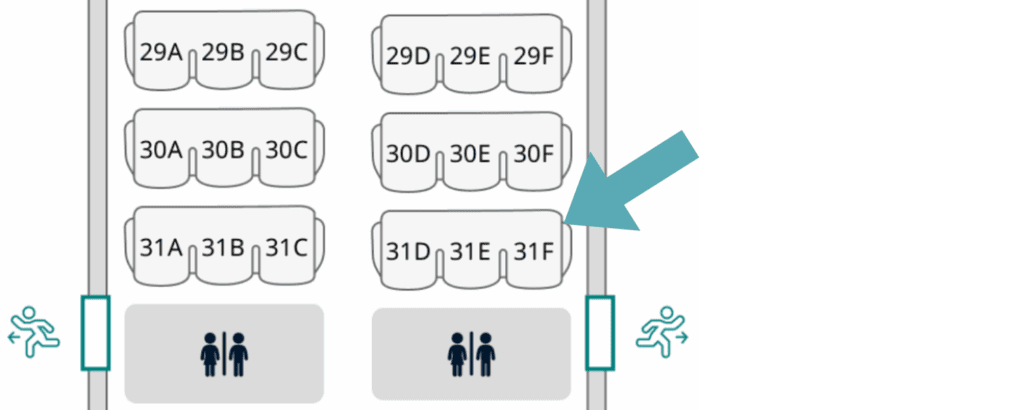
When you’re booking a WestJet flight, make sure you click into seat selection before completing your purchase. This is where the biggest clue lives.
If the aircraft’s seat map shows exactly 31 rows, that is typically the first indicator. This is the plane-type with the airline’s new high-density layout, featuring 31 rows in economy and including seats with as little as 28 inches of legroom and no recline.
If you’re seeing fewer rows (for example, 29 or 30), you’re likely looking at the older, more comfortable configuration.
Step 2: Look for This Specific Wording at Checkout
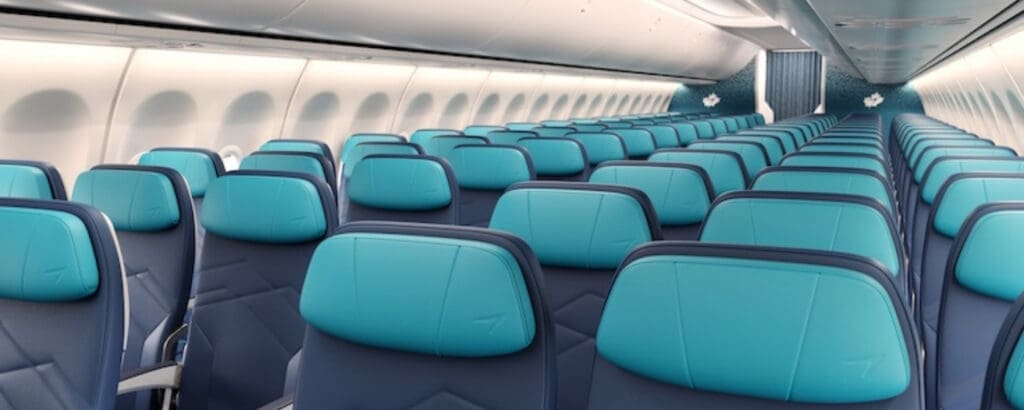
To double-check, keep an eye on the wording used during seat selection. If the aircraft is part of the new layout, you’ll often see language like:
“Seats with less space: Rows 20–31”
That phrasing is commonly associated with the newer configuration. In contrast, if you see “Standard seat” without any mention of reduced space, and the seat map does not extend to 31 rows, you are generally looking at a different configuration.
For example, if the seat map tops out at row 30, that’s typically a sign you’re not dealing with the no-recline layout.
One Important Caveat

As with any airline, aircraft swaps can happen. Even if everything looks good when you book, WestJet could still change the aircraft closer to departure.
That said, checking the seat map and wording during checkout remains one of the easiest ways to understand what configuration is currently scheduled.
Why This Matters

For short hops, the difference might not feel huge. But on longer domestic routes or transborder flights, losing recline and legroom can absolutely impact your experience.
If comfort is an important factor for you, especially when choosing between similar fares, this quick seat check can help set expectations before booking.
Safe travels!


Follow me on Instagram and Tiktok for travel tips hacks that’ll make your adventures unforgettable!
@thecanadianjetsetter on INSTAGRAM →
@thecanadianjetsetter on TIKTOK →
follow me ON Instagram →
FOLLOW me on tiktok →


Comments will load here
Be the first to comment